Is Character.ai Safe for Kids? A Complete Parent’s Guide for 2025
Worried about your teenager using AI chatbots? We break down every safety feature, parental control, and hidden risk so you can make an informed decision.

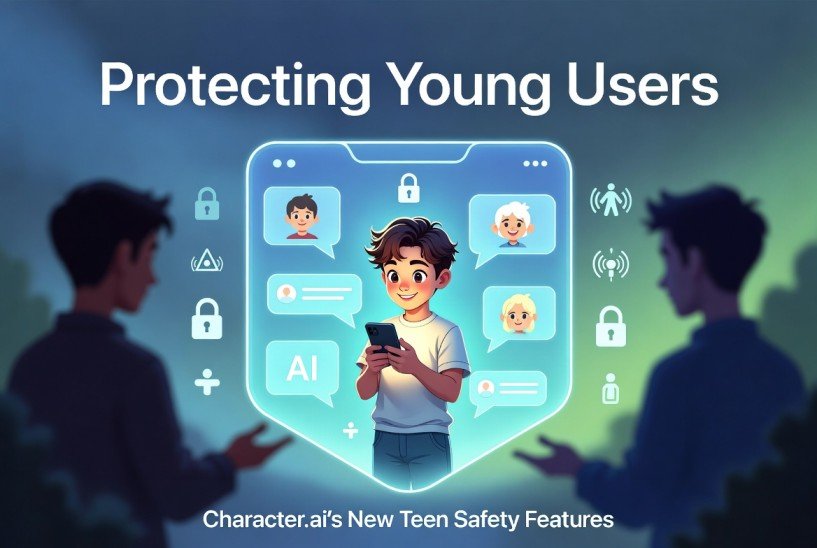
What Makes Character.ai Safer for Young Users Now?
Smarter Content Filtering
The platform now blocks questionable topics automatically when someone signs up as a teen. No settings to change. It just works.
Weekly Parent Summaries
You get an email every week showing total chat time and report activity. You won’t see private messages, just usage patterns.
Built-In Conversation Limits
The system steps in when conversations go toward dangerous territory. Think of it as a digital safety net for curious minds.
Break Reminders
After about an hour of non-stop chatting, a friendly notification suggests taking time away from the screen.
How Different Platforms Handle Teen Safety
| Safety Feature | Character.ai | ChatGPT | Snapchat My AI |
|---|---|---|---|
| Teen Content Filters | Strong | Medium | Strong |
| Break Reminders | Yes | No | No |
| Parent Dashboard | Basic Summary | None | Full Access |
| Easy Reporting | One Click | Clunky | One Click |
| Age Check | Honor System | Honor System | Honor System |
Why This Matters for Your Family
Let’s be honest. Most parents didn’t grow up with Kids safe character AI chatbots. Your teenager probably knows more about them than you do. That gap can feel scary.
The good news? Kids safe Character.ai has started building real protections. They’re not perfect, but they’re a solid step in the right direction. This guide walks you through exactly what works and what doesn’t.
Three Ways Character.ai Looks After Teens
Automatic Topic Blocking
Once a user says they’re under 18, the platform turns on stricter filters. No way to turn them off. That means fewer surprises during late-night chats.
One-Tap Reporting
If something feels wrong, your teen can flag it instantly. The moderation team usually responds within 24 to 48 hours.
Privacy That Respects Everyone
Parents get summaries. Teens keep their private conversations private. It’s a fair balance that encourages trust instead of hiding.
How to Set Up Parental Supervision
Setting this up takes about five minutes. Here’s what you do:
- Step 1: Create your own free Character.ai account
- Step 2: Your teen logs into their account and goes to Settings → Safety
- Step 3: They enter your email address under “Parental Supervision”
- Step 4: You click the confirmation link sent to your inbox
Once connected, you’ll receive weekly summaries. Your teen will know supervision is active. No secrets, just open awareness.
The Age Verification Problem Nobody Talks About
Here’s the honest truth. Right now, any 12-year-old can click “I am 18+” and bypass all teen protections. Character.ai doesn’t ask for ID, a credit card, or any real proof.
The company admits this is a weakness. They say better age checks are coming. But today? It’s on the honor system. That’s why talking openly with your child matters more than any filter.
Little Features That Make a Big Difference
Beyond the big stuff, Kids safe Character.ai added small touches that help build healthier habits:
- Screen-time nudges after long sessions
- Clear explanations when something gets blocked
- A Safety Center written in plain English, not legal jargon
These might not sound exciting, but they matter. When a teenager understands *why* something was blocked, they’re more likely to respect the boundary.
What Works vs What Still Needs Work
Works Well ✅
• Strong content filters for honest teens
• Easy reporting that actually gets reviewed
• Break reminders to prevent rabbit holes
• Parent summaries without invading privacy
Needs Improvement ⚠
• Age verification is basically a checkbox
• No real-time parent alerts
• Nothing for emotional dependency yet
• Crisis detection doesn’t notify anyone
The Emotional Side – AI Friendship vs Real Connection
Some teens talk to AI characters for hours because the bot is always nice, always available, and never judges. That can feel comforting. But it can also become a trap.
Kids safe Character.ai doesn’t have tools to spot or help with this yet. The only feature is a “take a break” reminder. As a parent, your best tool is conversation. Ask how your child is feeling. Notice if they seem withdrawn. Be someone they can talk to about loneliness or stress.
🔗 Explore More Resources
Common Questions from Parents
Can my teen see bad things if they lie about age?
Yes. That’s the biggest weakness. If they click “18+” during signup, filters turn off. Talk to them honestly about why that’s risky.
Will I know if something goes wrong?
You’ll get weekly summaries showing total usage and report activity. But you won’t get real-time alerts unless Character.ai adds that feature later.
How fast does reporting work?
The moderation team usually reviews reports within 24 to 48 hours and takes action if rules were broken.
Can I read my child’s private chats?
No. Character.ai believes teens deserve some privacy. Parents only see activity summaries, not message content.
What changed in 2025?
Stronger content filters, easier reporting, parental supervision options, and digital wellness reminders are the main updates.
Is Character.ai better than ChatGPT for kids?
For teenagers, yes. Kids safe Character.ai has stronger content filters and break reminders. ChatGPT offers almost no parental tools.